 by
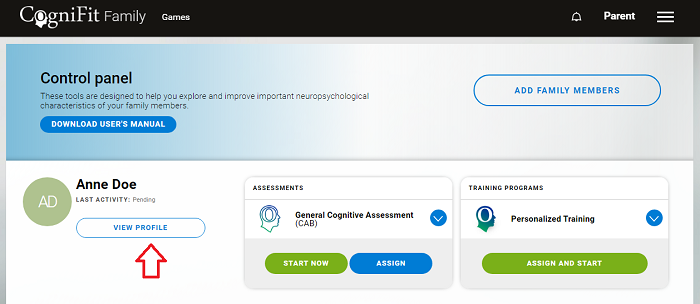
by 1. Access your family account. On the main dashboard page, choose the family member whose profile you want to deactivate and click the ‘View Profile‘ button.
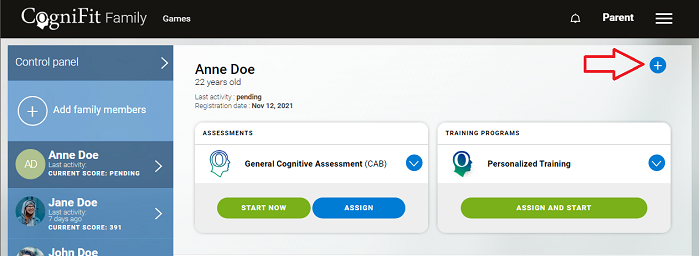
2. The family member’s profile page will then open. Click on the ‘+‘ sign that appears at the top right of the screen.
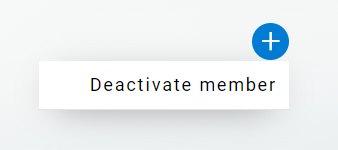
3. Choose ‘Deactivate member‘ in the drop-down menu.
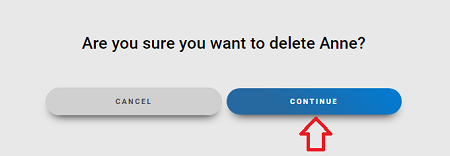
4. To confirm deactivation, press ‘Continue‘ on the screen that appears.
Note: If a member of your family has an active subscription or an assigned evaluation, after removing them from your account you can assign the program to another member of your family. If you want to remove the subscription from a family member without deactivating their profile, follow the instructions in this article.
If a member of your family uses an individual account, they can also remove their account directly, following the instructions in this article.
If you have any questions, you can contact our support team by sending an email to support@cognifit.com