 by
by 1. What are CogniFit Account Center and Multi-Account?
The CogniFit Account Center is a feature that allows users to manage and access different CogniFit platforms using the same email address. With Multi-Account, you can easily switch between various CogniFit accounts (e.g., personal, professional, research) without needing separate logins for each platform. This simplifies access and ensures all your profiles are connected to a single email.
2. On which CogniFit platforms is the Account Center available?
Multi-Account creation is available on the platform for Individual Users, Families, Education and Health Professionals, Scientific Research, Employee Wellbeing, and White Label Partnerships.
Note: For Patients/Students/Participants, Multi-Account is only available when logging in through the main CogniFit login page.
3. How do I go to the Account Center?
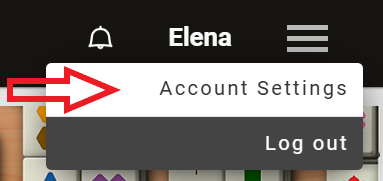
3.1 Sign up for CogniFit or log into your account and go to Account Settings by clicking on the menu in the top right corner of the screen.
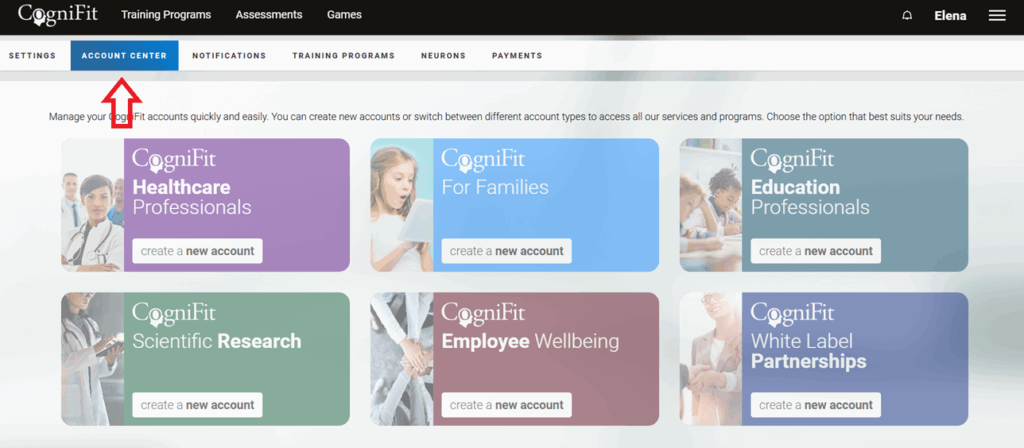
3.2 To go to multi-account, click on the Account Center option.
4. How do I create a multi-account?
With the Account Center, you can create an account on any available CogniFit platform with the same email address without having to log out of your account.
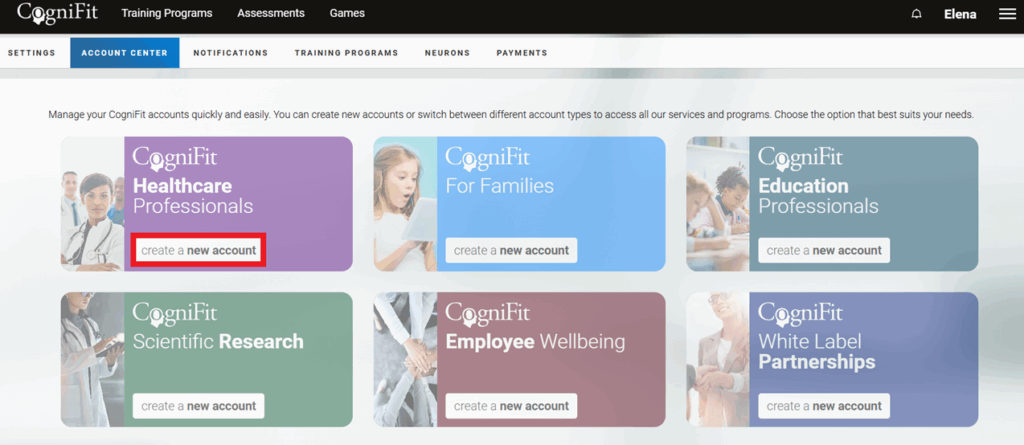
For example, if you have registered in CogniFit as an individual user, to create a physician account, select the corresponding option in the account center and click on “create a new account”.
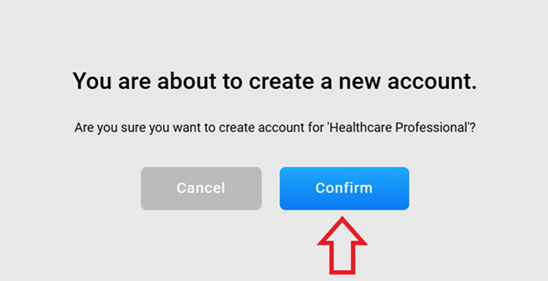
The platform will ask you to confirm your action. Click on “Confirm”.
Wait a bit while your account is created on the professional platform. You will then be automatically logged in to your account on the health professional platform.
Note: If you want to switch back to your individual account, simply go to the Account Center of your current professional record following the steps above and select the “switch to this account” option.
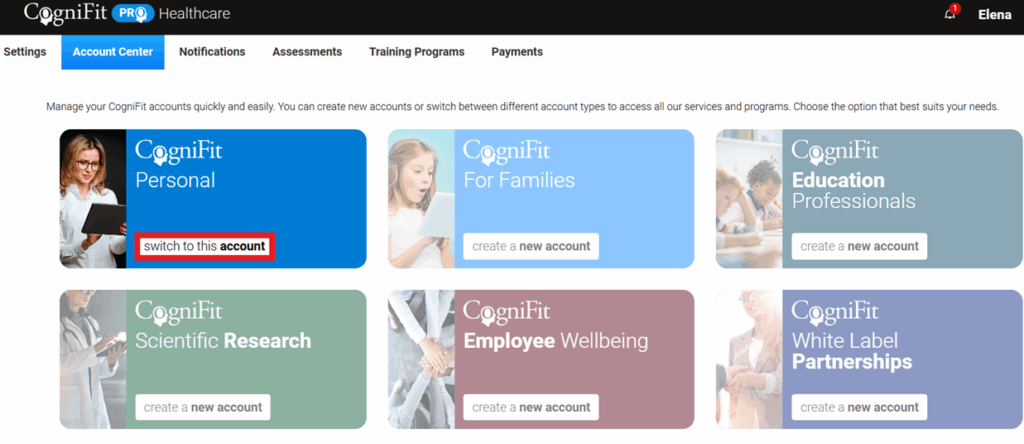
After that, you will be returned to your individual account.
5. Do I have to set a password for each account in my Account Center?
The password is the same for all accounts in your multi-account. Please note that if you change the email address of your multi-account, it will also change on all platforms where you registered it.
6. Are my profile details populated automatically on all accounts in my Account Center?
No, each account within a multi-account has its own settings and data. Please note that for individual accounts it is mandatory to provide date of birth and gender.
Attention: If you log in from an individual account, you access the individual account platform. To access a specific platform within your Multi-Account, you must log in through that platform. If you log in from a platform where you do not yet have an account, the system will ask if you want to create one.
Note: When the primary account is verified by email, all associated sub-accounts are automatically verified.
7. How to Delete an Account in the Account Center?
You can delete all accounts at once or individually. However, when you delete the last account, the entire Multi-Account is permanently deleted.
To delete a multi-account completely, select the “Deactivate All Accounts” option at the bottom of the Account Center page.
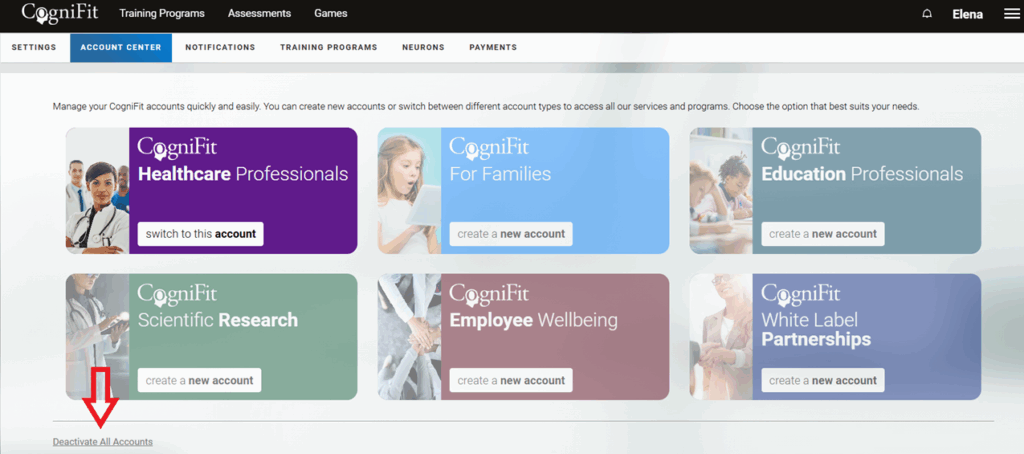
Confirm your decision by clicking on “Continue”.
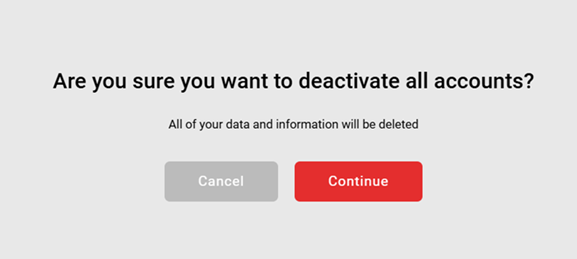
Note: All your data and information will be deleted permanently.
If you have any questions you can contact our support team by sending an email to support@cognifit.com