 by
by If you choose CogniFit assessments or training programs for your study design, you can download the raw data, the cognitive information, the questionnaire information, and the adherence information in order to analyze it.
In this video you will learn how to import your research study data.
Let’s take a closer look.
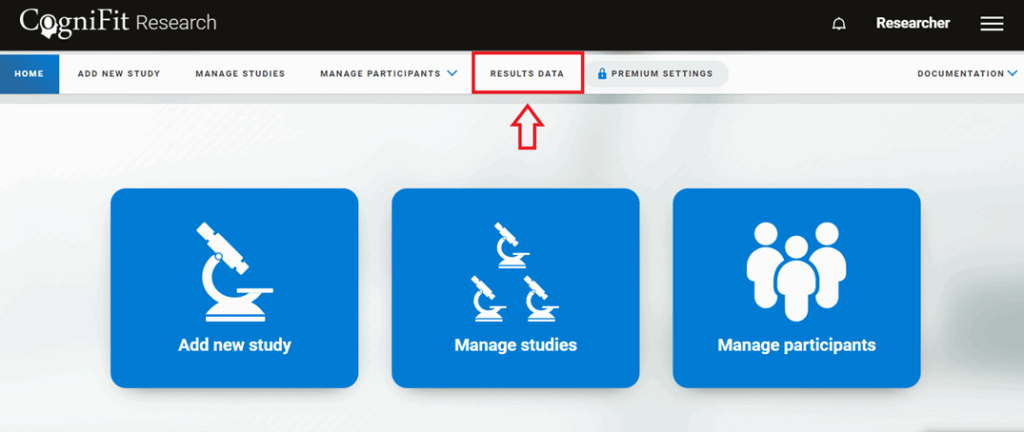
1. Log into your researcher account and on the home page, click on the “Results data” option at the top of the screen.
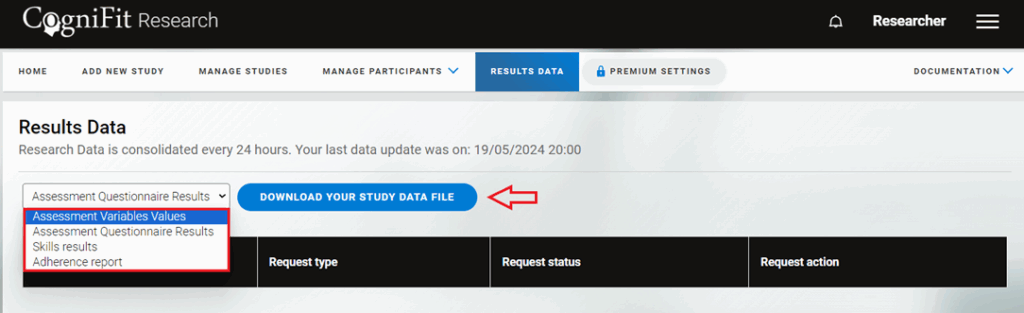
2. On the page that opens, you can download:
- Assessment Variables Values;
- Assessment Questionnaire Results;
- Skills results;
- Adherence report.
Note: This information is updated once a week, so you may have to wait until this time in order to see the new data.
Select the option you are interested in from the drop-down menu and click on “Download your study data file”.
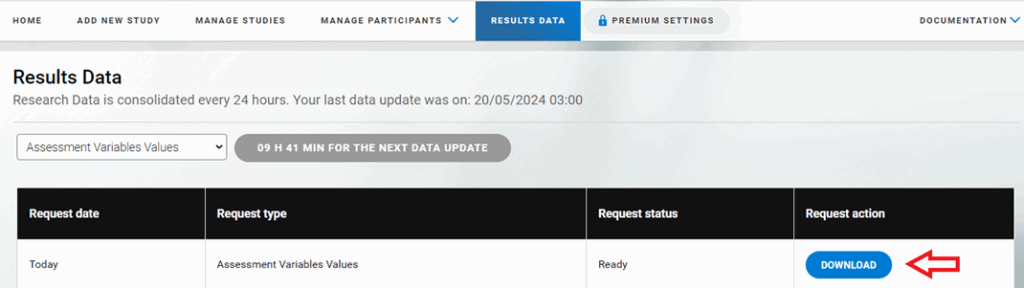
Wait for the document to be generated. Click “Download” to upload the data.
Here you can learn how to download each participant’s data from their profile page in your research account.
Questions? Please contact our support team by sending an email to support@cognifit.com