 by
by Changing the language of your profile and training is simple and just takes a few steps:
1. If you are using a computer
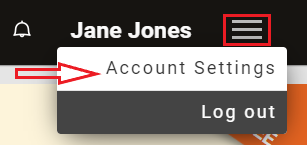
1.1 To get started, log into your account and click on the Menu icon in the top right corner and select from the drop-down menu Account Settings.
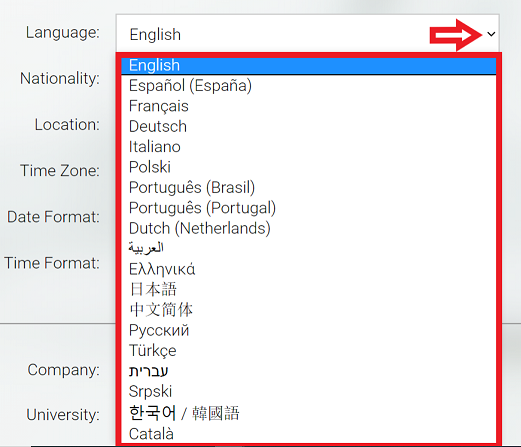
1.2 Scroll down about half-way down the page until you see the language option. Click the drop-down menu and click on the language you want to use the platform in
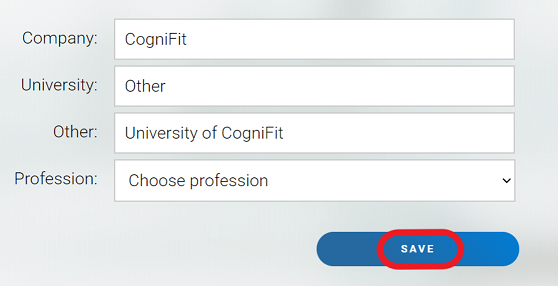
1.3 After you’ve chosen your new language, click the Save button at the end of the page
2. If you are using the mobile app
2.1 Open the app and click on the Account icon
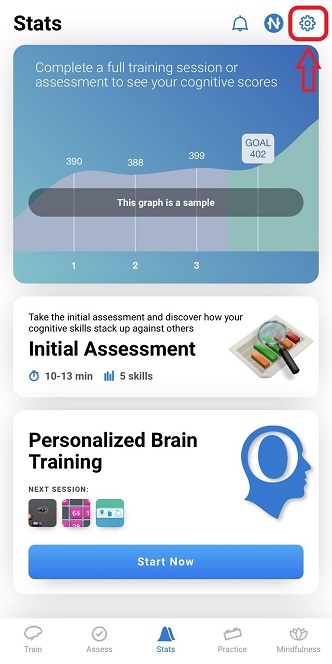
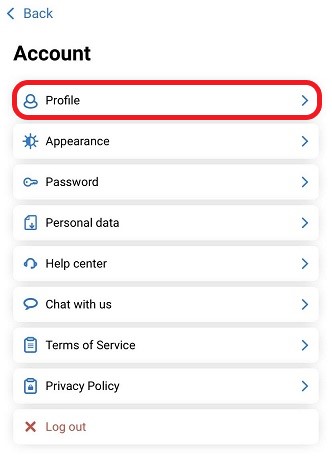
2.2 In the account menu click on Profile
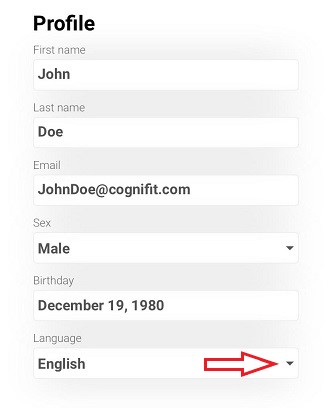
2.3 In your profile you can select the language of your choice by clicking on the arrow for the drop down menu. When you click on the language the platform will change instantly to your new selected language
If you have any questions, you can contact our support team by sending an email to support@cognifit.com