 by
by After creating your CogniFit account, you can update information like your name, e-mail address, date of birth, change the language and other information.
1. If you are using a computer
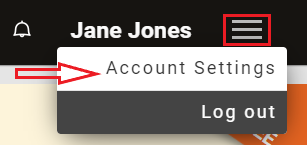
1.1 To get started, log into your account and click on the Menu icon in the top right corner and select from the drop-down menu Account Settings.
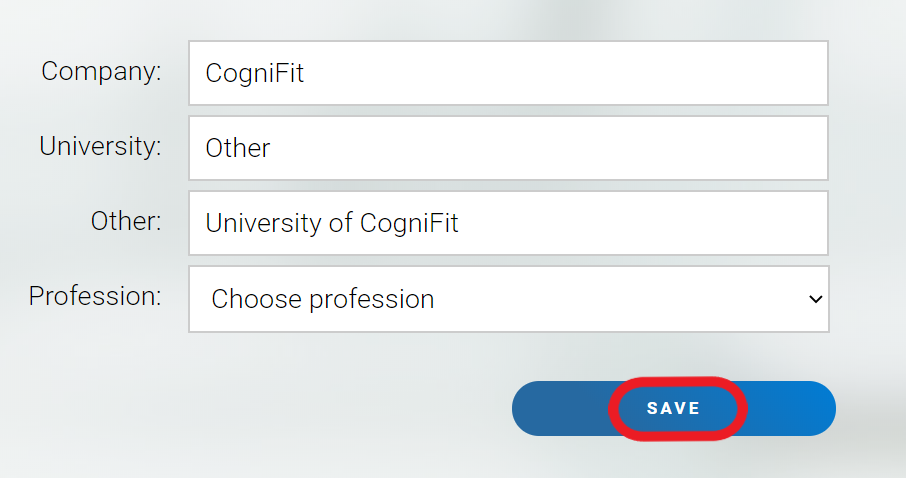
1.2 Once you are in the Account Settings, make the necessary changes and ensure you scroll down to the end of the page to click on the Save button to save the changes you made.
You can also decide to link your profile to your Facebook, Twitter or RunKeeper account which will help you find your friends on CogniFit and provide other features. You can enable or disable these features whenever you want.
2. If you are using the mobile app
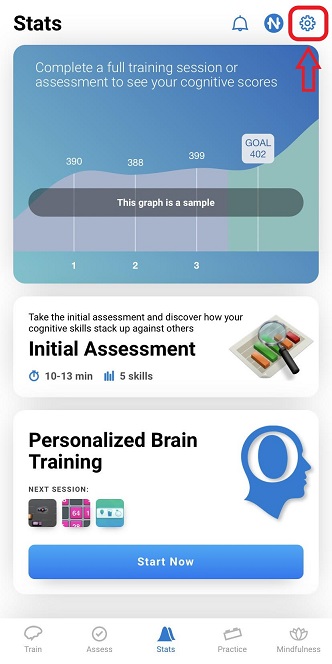
2.1 Open the app and click on the Account icon
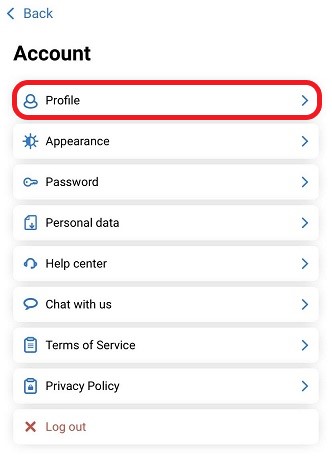
2.2 In the account menu click on Profile
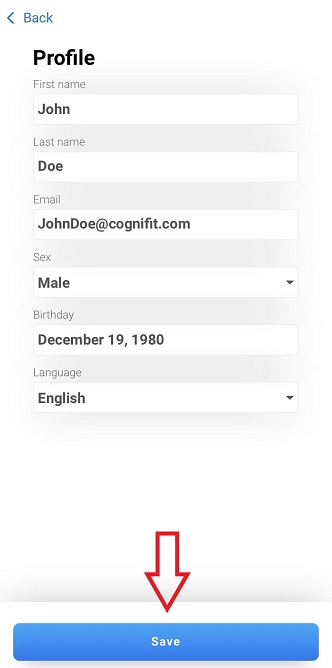
2.3 In your profile you can change or update your name, date of birth, email address, gender and the language of the app. To save your changes, click the Save button.
If you have any questions, you can contact our support team by sending an email to support@cognifit.com