 by
by This feature is currently not available on any of our mobile apps.
After logging into your CogniFit account, follow the steps below to export the data.
1. If you have a healthcare professional or teacher account
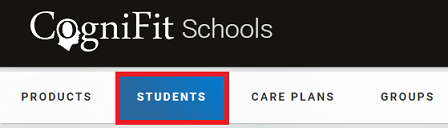
1.1 Click on the Students (Patients) tab in the dashboard of your account.
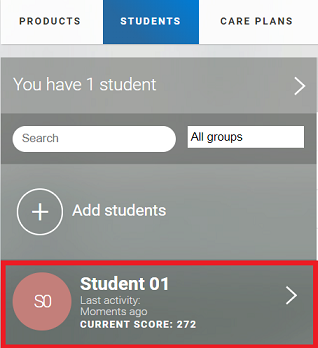
1.2 Click on the Student (Patient) whose data you want to export
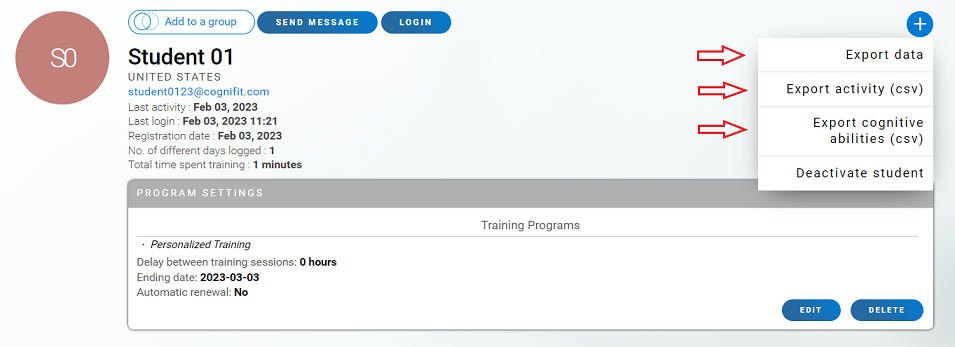
1.3 By clicking on the blue plus sign (+) on the user’s profile page, the educator/professional will be able to download the user’s data in pdf format or a spreadsheet in CSV format.
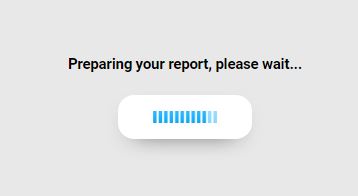
After selecting Export Data, the platform will begin automatically generating the report with the session data of the user and the scores of each cognitive ability. Please wait while this downloads.
Once the download has completed, you will be able to view the PDF report with the essential information from the user’s profile.
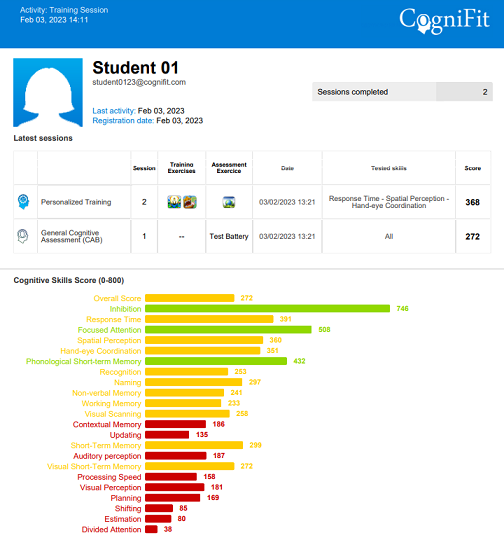
Click the Export activity (csv) or Export cognitive abilities (csv) button if you want to download the user information in csv format. The spreadsheet will open automatically. It will be important to save the spreadsheet with the user’s name or number for later identification.
By clicking on the Export Activity (csv) button you will download the CSV with information about the activities completed by the user (including the type of training/assessment, session number, games played, tasks performed, date, cognitive abilities trained, average score of skills assessed and total training time).
By clicking on the Export Cognitive Abilities (csv) button you will download the CSV with information about the user’s cognitive abilities score (including the date, the type of activity performed, the overall score and the score for each cognitive ability).
2. If you have an individual account *
2.1 Log into your account and click on your name in the top right of your account home page. Then your profile page opens.

2.2 Scroll to the end of the page and click on Download, in the right bottom corner, to export your data

* If your individual account is linked to a family, healthcare professional or teacher account this feature is not available
If you have any questions, you can contact our support team by sending an email to support@cognifit.com