 by
by Please ensure you have previously created an account on CogniFit.
Please note if you registered using your Apple, Google, Facebook or Twitter account, this article does not apply.
If you try to log in onto CogniFit using your Apple, Google, Facebook or Twitter account, make sure you use the correct Apple, Google, Facebook or Twitter login information. If you forgot your Apple, Google, Facebook or Twitter login information, please go to the Apple, Google, Facebook or Twitter website to retrieve your information.
Please follow these steps to recover your password if you did not register using your Apple, Google, Facebook or Twitter account:
1. If you are using a computer
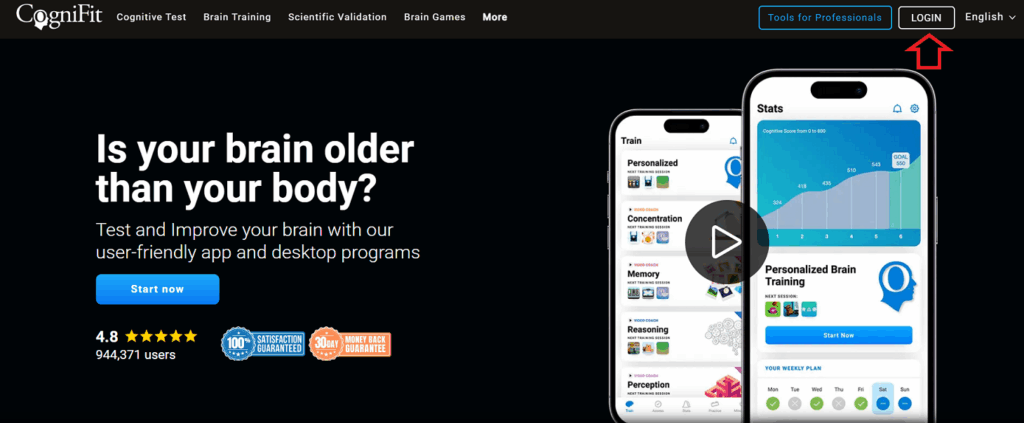
1.1 Click the Login button from the CogniFit homepage
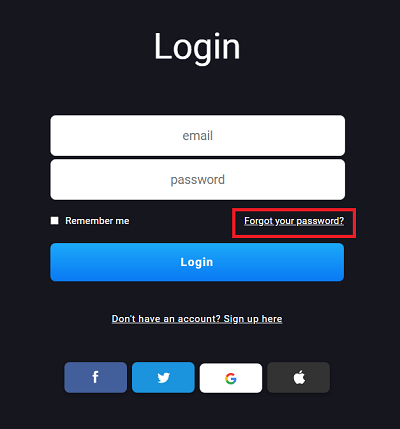
1.2 Click on the Forgot your password option
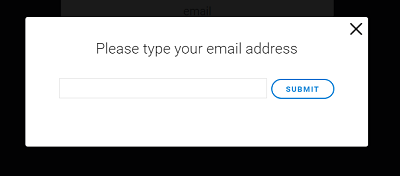
1.3 Enter the email address used for your CogniFit account and click on Submit
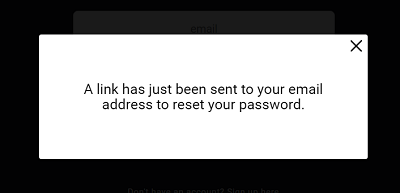
1.4 We will send an email to the email address you provided with a link to change your password. If you haven’t received the email please check the spam folder or delete items folder in your inbox.
2. If you are using the mobile app
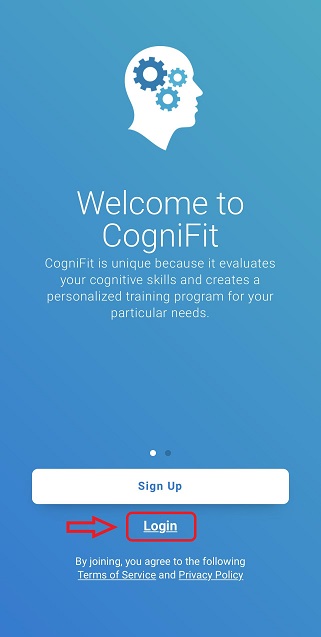
2.1 Open the app and click on Login
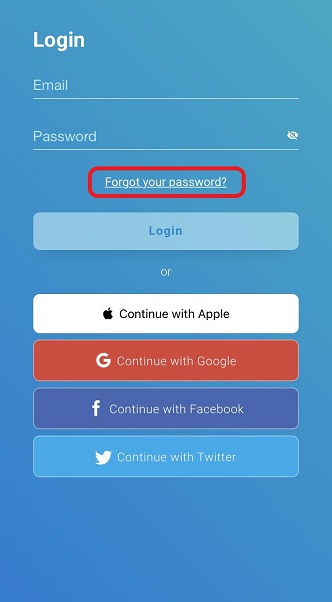
2.2 Click on the Forgot your password option
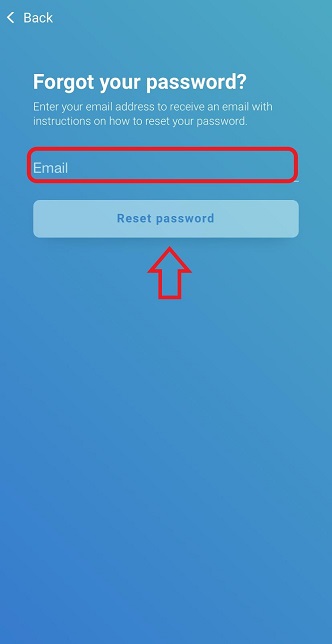
2.3 Enter the email address used for your CogniFit account and click on Reset password
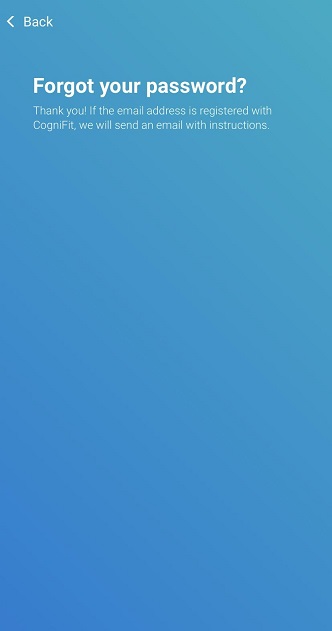
2.4 We will send an email to the email address you provided with a link to change your password. If you haven’t received the email please check the spam folder or delete items folder in your inbox.
If you have any questions you can contact our support team by sending an email to support@cognifit.com