 by
by You can see your cognitive skills, as well as comparisons to others in your age range, gender, or location, and more by either logging in on a computer browser or using the mobile app.
Once you’ve logged into your CogniFit account, follow the instructions below:
1. If you are using a computer
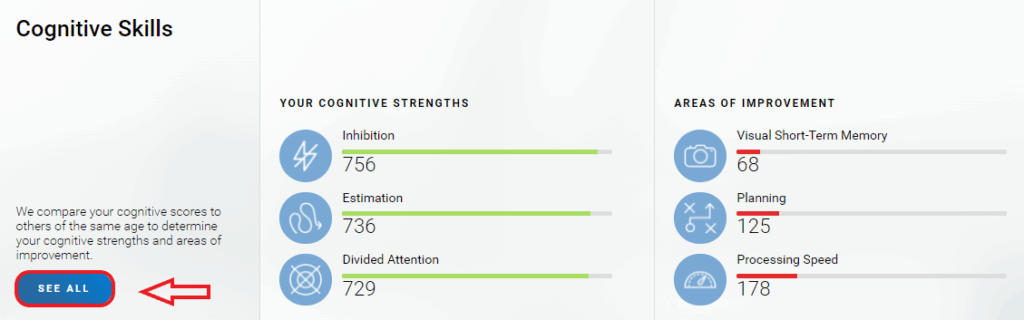
1.1 Log in to your CogniFit account and scroll down the profile page until you see the section Cognitive Skills. Here you will see an overview of your cognitive strengths and your
areas of improvement. Click on See All to see more information about your cognitive skills.
On the page that opens you will see all the current data on the status of your cognitive abilities. Learn more about the CogniFit scoring system.
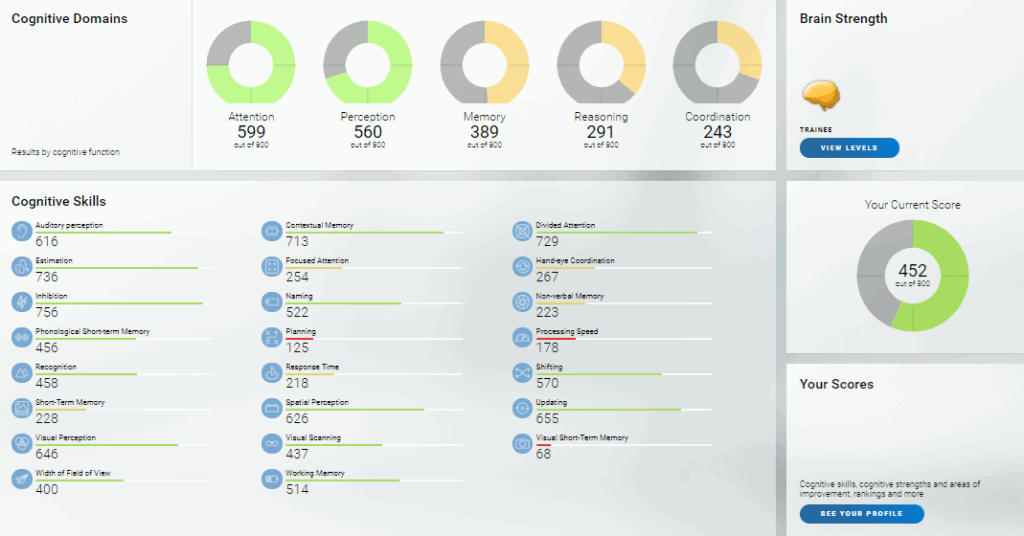
You can also check your cognitive skills and progress on your account profile page. Learn more.
2. If you are using the mobile app
2.1 Tap on the icon labeled Stats in the navigation menu at the bottom of the screen.
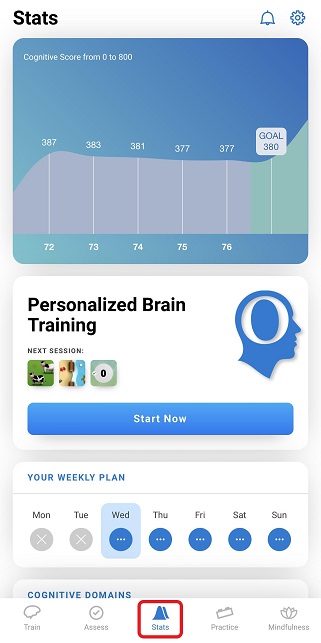
2.2 This screen will show you an overview of your statistics including your Cognitive score, training plan, and more. By scrolling down, you will see information pertaining to your Cognitive Domains, Cognitive Age and your Cognitive Skills.
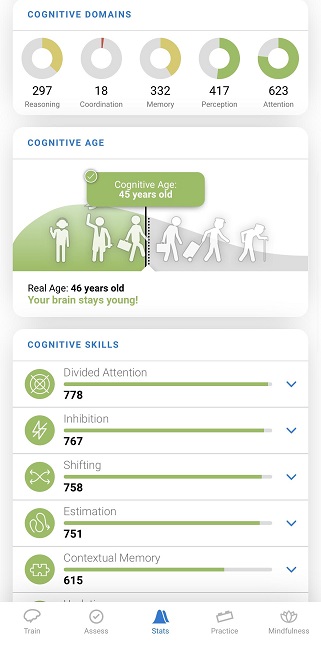
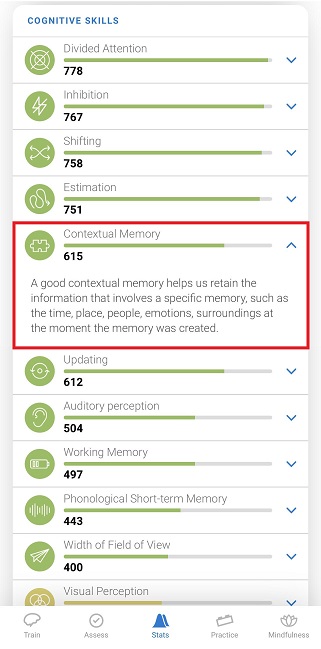
Your Cognitive Skills are ordered from strongest to weakest.
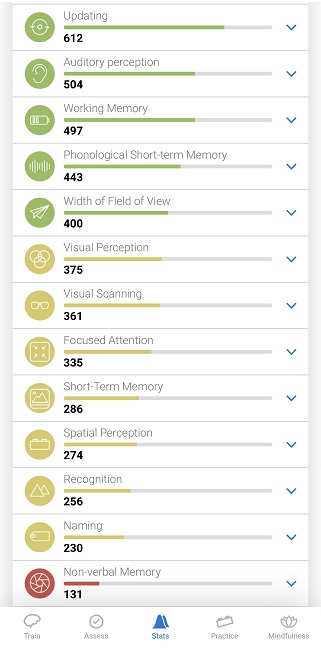
By tapping on the arrow icon next to each Cognitive Skill, you will be able to read a description of that skill.
Learn more about the CogniFit scoring system.
If you have any questions you can contact our support team by sending an email to support@cognifit.com