 by
by Attention: registration for the family platform is available via computer only. This option is not available on CogniFit’s mobile applications.
1. Access the CogniFit Families Platform
You can create an account for families, accessing the Family Platform directly or from the main CogniFit page.
Before registering you have to indicate in which country or region you are located. The browser will automatically detect your location. To confirm, click the “Continue” button in the blue bar at the top of the screen.

If you want to change country or region, click on the drop-down menu arrow and select the “Other country or region” option. Click the “Continue” button.

On the page that opens, choose a country or region from the list and click on the selected option to access the CogniFit page for your country or region.

Note: If you want to change the platform language, select the desired language from the drop-down menu in the upper right corner of the page or change the language after registration in your profile settings, following the instructions of this article.
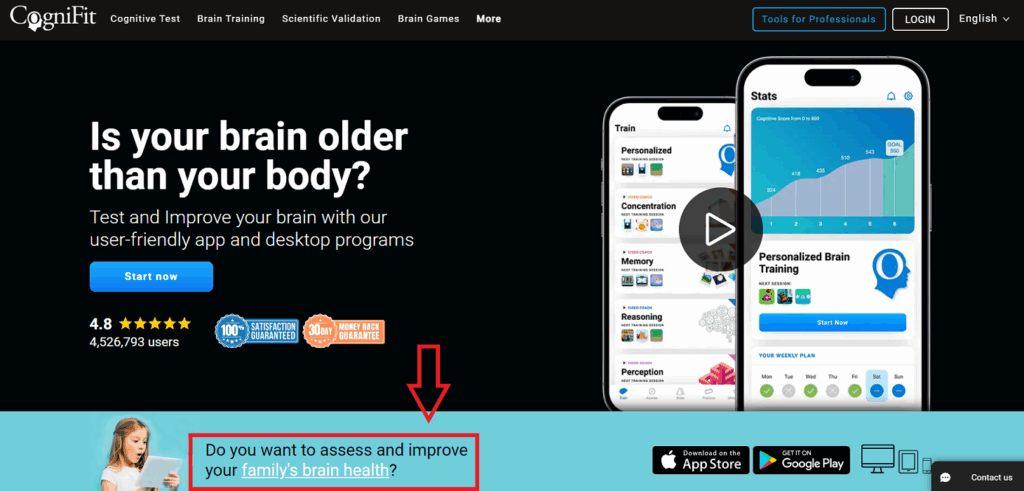
1.1. To register from the CogniFit home page, scroll down the page a bit and click on and click on the link.
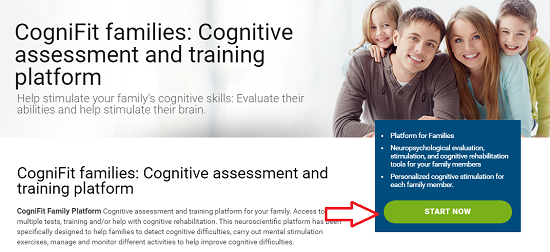
1.2 On the Family Platform page, click the Start Now button.
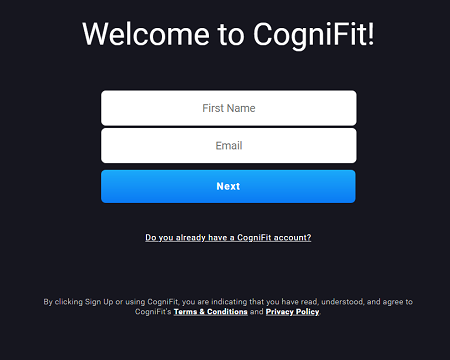
2. Enter the requested information
Fill in your name and email address and click Next. This email address will be used to send you important account information and the progress of your family members.
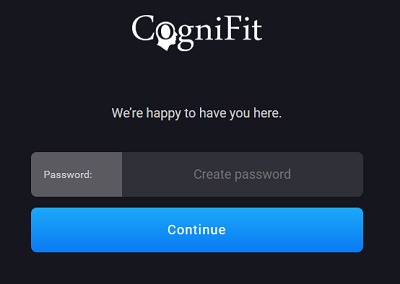
3. Create the password
Please enter a password. Please note that the password must be at least 6 characters long. Click on Continue.
Congratulations!! Your CogniFit for Families account is now set up.
If you have any questions you can contact our support team by sending an email to support@cognifit.com