 by
by Attention: Please keep in mind that once a user is deleted, it will not be possible to recover data or information. Ensure that you have saved all of the necessary data before deleting a user. The user profile will continue to exist in the database, and this user can decide to later join CogniFit with an individual account.
Log in to the home page of your account. Go to the participants page by clicking the blue “Manage Participants” button or the “Participants” option in the drop-down menu of the same name.
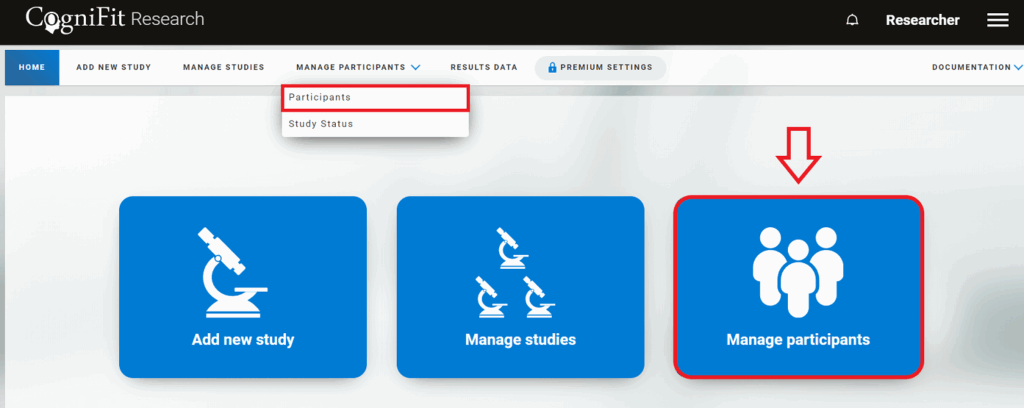
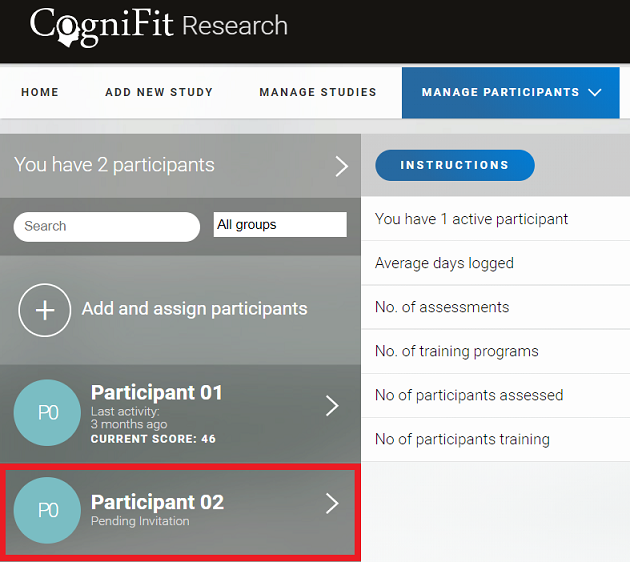
1. Delete a user who has not yet accepted your invitation / is not registered with CogniFit
1.1 Select the participant you want to remove from your researcher’s account.
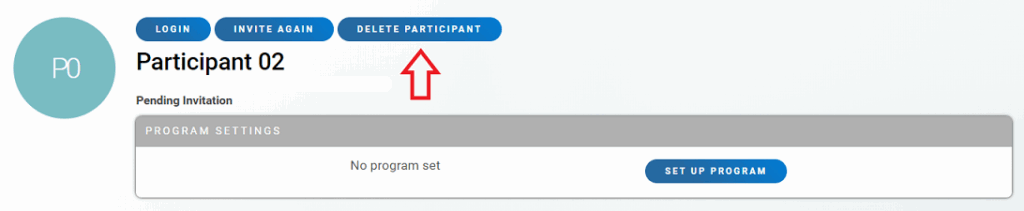
1.2 The participant’s profile page will open. To delete this user click on the “Delete participant” button.
2. Delete other users
2.1 Select the participant you want to remove from your researcher’s account.
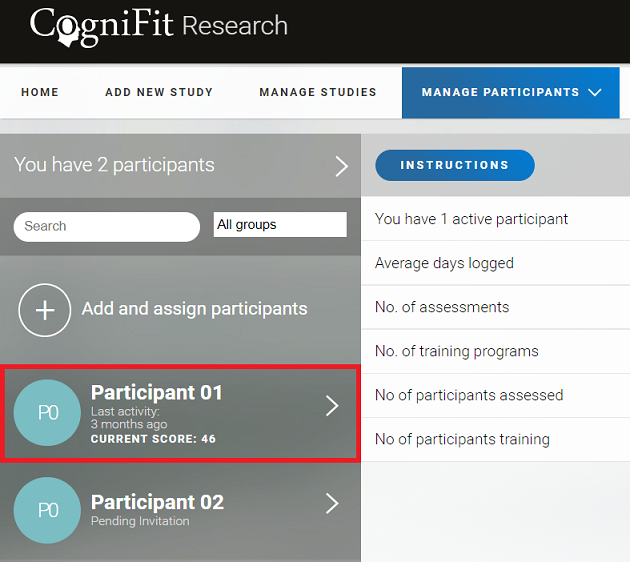
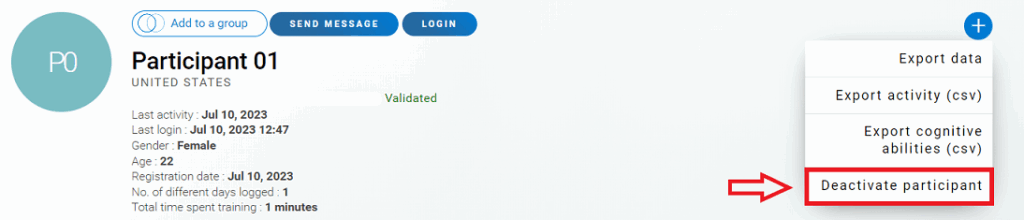
2.2 The participant’s profile page will open. To delete this user click on the “+” icon. In the drop-down menu that opens choose the “Deactivate participant” option.
3. Confirm your decision
Once you have clicked the “Continue” button, the participant will be removed from your account for researchers.
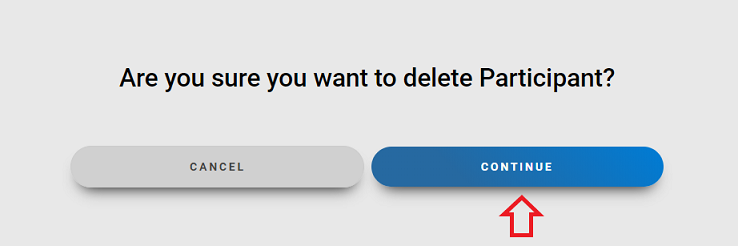
Attention: After deleting a user, you will not have access to the user’s data and files. You will have the option to use the licenses assigned to the deleted user with another participant.
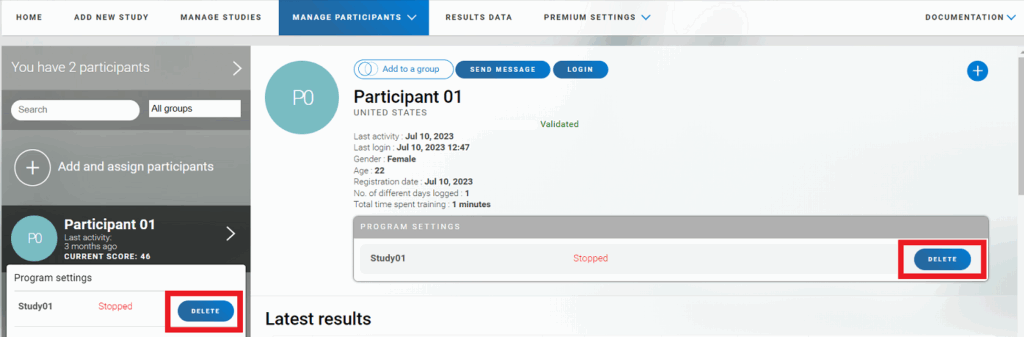
Note: You can also remove a participant from the study without deleting them from your account. To do this, hover your mouse over the participant’s name in the list and click the “Delete” button next to the study name or click the same button directly in the participant’s profile.
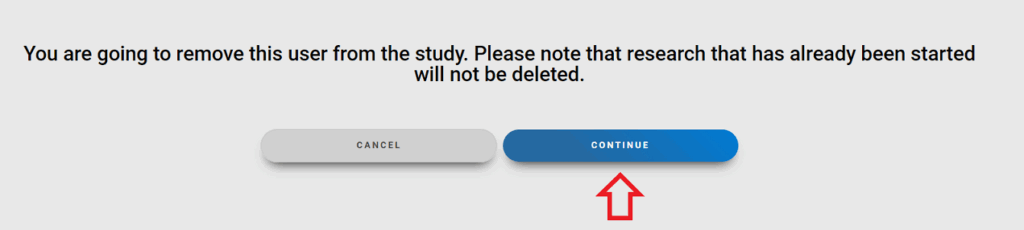
Click the Continue button to delete the participant.
If you have any questions you can contact our support team by sending an email to support@cognifit.com