 by
by To change your password you need to be able to login to your account, otherwise you need to reset the password.
1. If you are using a computer
1.1 To get started, log into your account and click on the Menu icon in the top right corner and select from the drop-down menu Account Settings
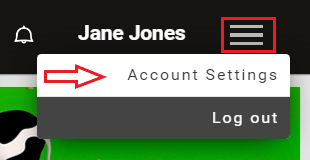
1.2 Scroll to the end of the page and click on Change Password
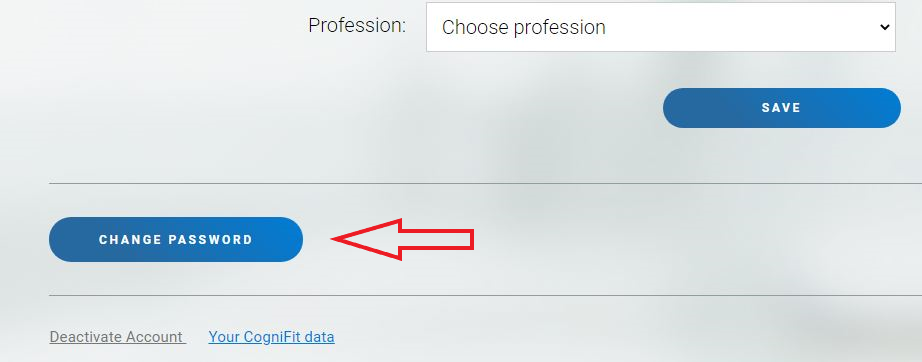
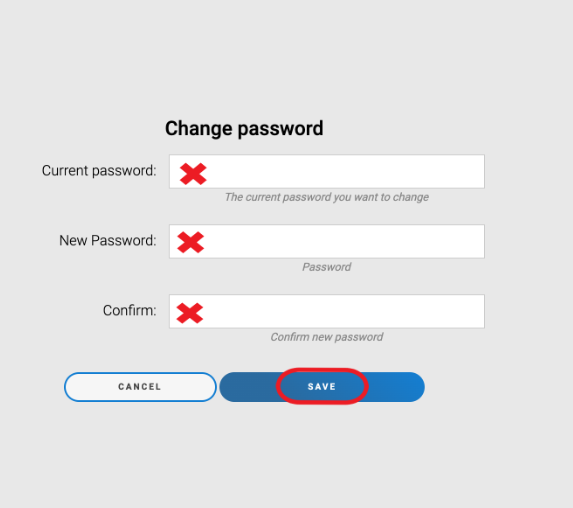
1.3 Enter your Current Password, your New Password and Confirm your new password. Click on Save when you’ve finished.
Please note that your password must be between 8 and 40 characters long and contain at least one numeric character.
2. If you are using the mobile app
2.1 Open the app and click on the Account icon
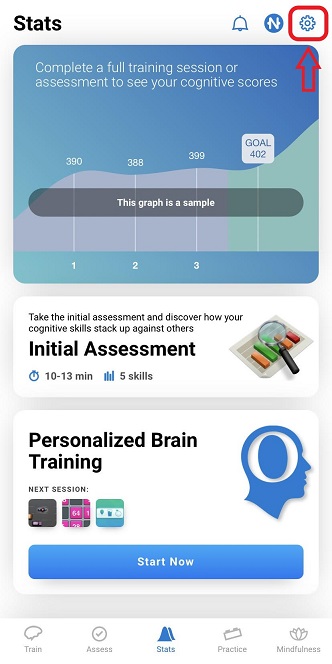
2.2 In the account menu click on Password
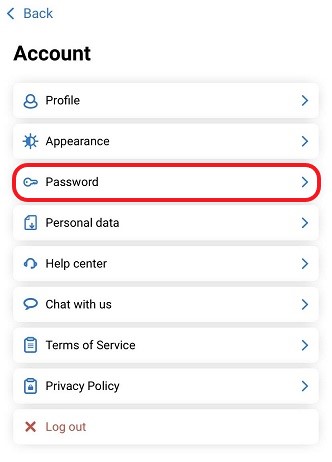
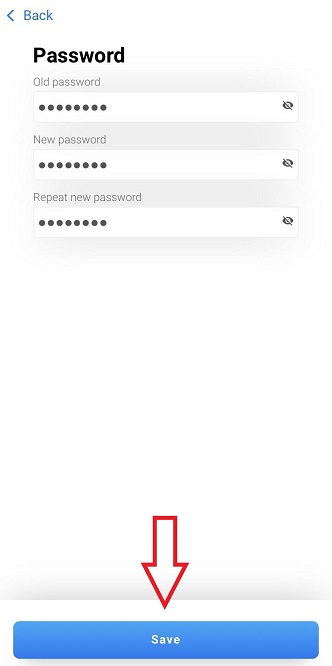
2.3 Enter the fields for your Old Password, your New Password and Repeat New Password and click on Save when you’ve finished.
Please note that your password must be between 8 and 40 characters long and contain at least one numeric character.
If you have any questions you can contact our support team by sending an email to support@cognifit.com