 by
by 1. If you are using a computer
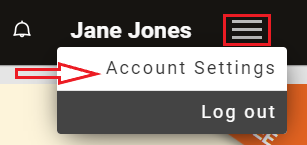
1.1 To get started, log into your account and click on the Menu icon in the top right corner and select from the drop-down menu Account Settings.
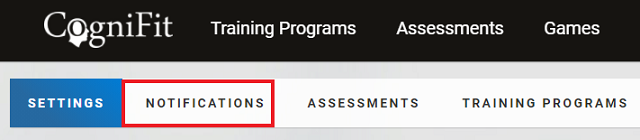
1.2 Click on Notifications.
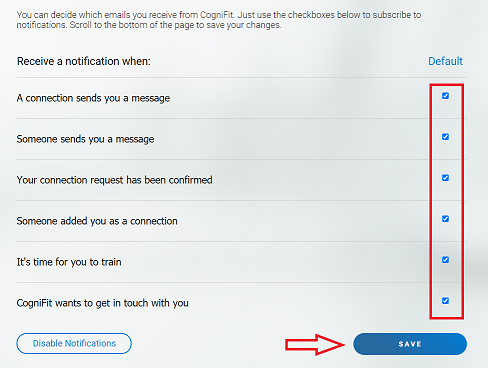
1.3 Tick the checkboxes for the notifications that you want to receive and unticking the checkboxes for notifications you don’t want to receive. Please click Save when you’ve finished.
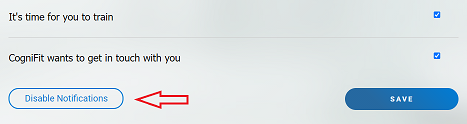
1.4 If you want to turn off all notifications, click on Disable Notifications.
2. If you are using the mobile app
You can only make changes to your email notifications by logging in on your account via the website (see above instructions) however you can disable the notifications you receive on your mobile device.
To disable or enable the notifications on an Android device click on this link: https://support.google.com/android/answer/9079661?hl=en
To disable or enable the notifications on an iOS device click on this link: https://support.apple.com/en-gb/guide/iphone/iph7c3d96bab/ios