 by
by 1. If you are using a computer
1.1 The red circle above the notification bell is a reminder that you have a new notification

1.2 Hover your cursor over the bell icon to see your notifications
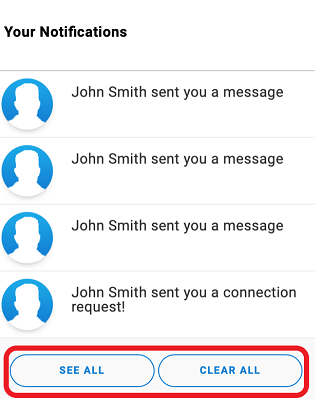
1.3 You can click on See All you go to the notification page were you can manually choose which messages you want to delete
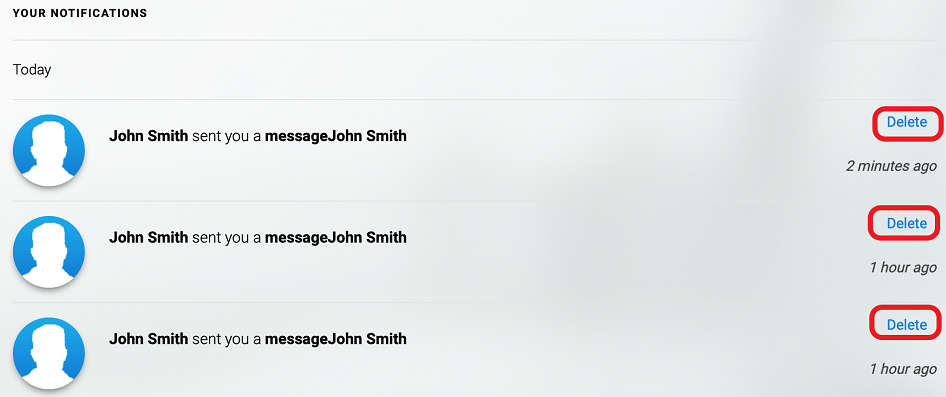
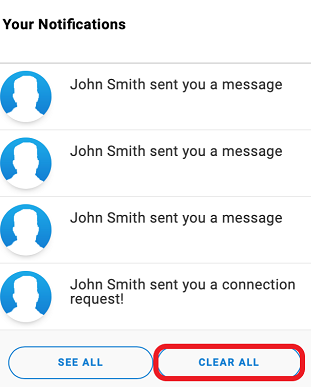
1.4 You can click on Clear All to remove all received notifications so they will not appear again on your notification page
2. If you are using the mobile app
You can receive notifications on your mobile device via the app, however not all notifications are visible in the mobile app. You can check for all your notifications by logging in on your account via the website (see above instructions).
Click on the below links to enabling or disabling the notification settings in your mobile device:
To enable or disable the notifications on an Android device click on this link: https://support.google.com/android/answer/9079661?hl=en
To enable or disable the notifications on an iOS device click on this link: https://support.apple.com/en-gb/guide/iphone/iph7c3d96bab/ios