 by
by Attention: Each promo code can only be used once. Promotional codes can only be used from the CogniFit website while you are connected through a computer or laptop, it is currently not possible to apply promotional codes from the CogniFit App on mobile devices. If you are using the CogniFit mobile application, see section 2 of this article.
1. How to apply a CogniFit discount or promotional code
1.1 Access your account and select the product you want to purchase (evaluations or trainings). After selecting the product you are interested in, press the Buy button if selecting an assessment or press the Subscribe button if selecting a training program.
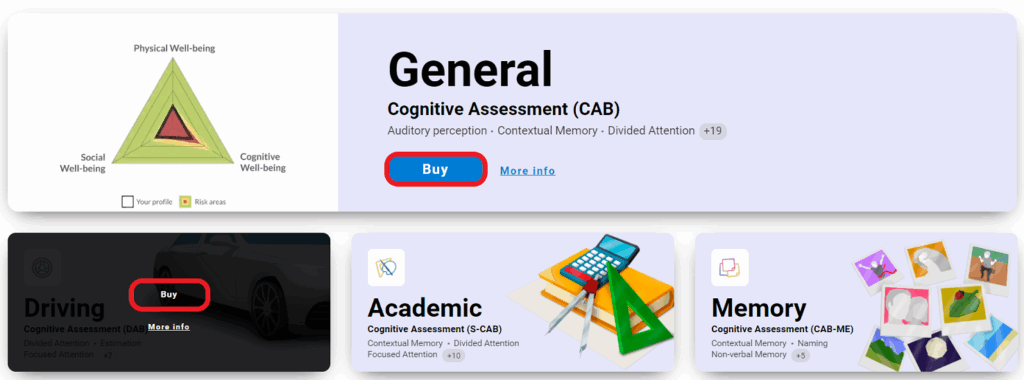
Note: Evaluation licenses are for one-time use, so it is not necessary to choose a subscription plan. If you purchase a training subscription, choose the subscription plan that suits you best depending on the platform: individual or family.
Promotional codes may also be used during promotions directed towards healthcare professionals, education professionals, and researchers.
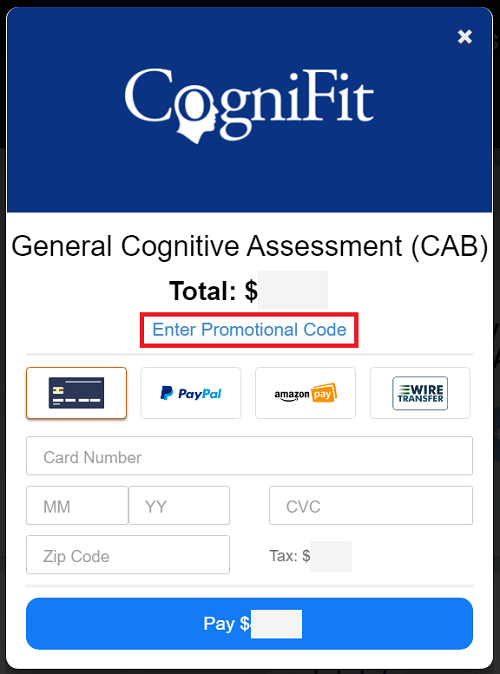
1.2 When you press the applicable button for purchasing the product in which you want to use your promotional code (be it an evaluation or a training), the payment page will appear. Click Enter Promotional Code.
1.3 Enter your promotional code and press Apply.
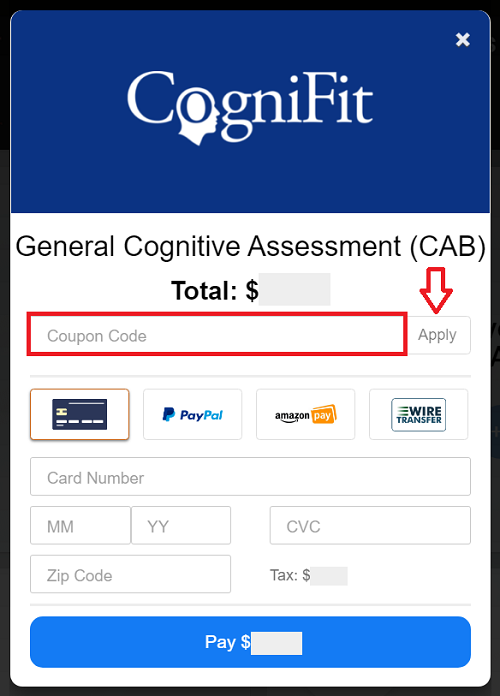
1.4 After clicking Apply, check that your promotional code has lowered the correct percentage, choose the payment method, fill in the necessary data, accept the terms of service and the privacy policy of the payment platform and click the blue payment button to complete the purchase.
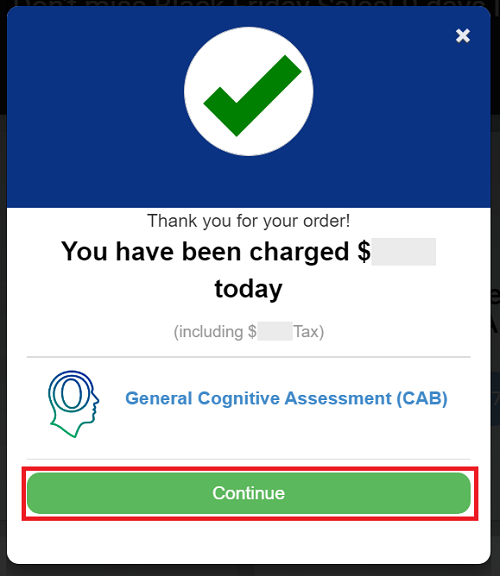
Press Continue to exit. Upon completing the payment, you will see that you now have access to the purchased product.
Note: Promo codes can be used on CogniFit’s individual, family, and professional platforms depending on the promotion in progress. If you have received a promotional code, pay attention to the platform to which the promotion applies.
2. I use the CogniFit mobile app. How can I use the discount codes?
Promo codes are not currently supported in the CogniFit mobile app. Users of the mobile application receive information about promotions in the form of push notifications. If you have received a push notification from CogniFit, click on it to learn more about the promotion.
If a user is offered a discount on a product, this discount will be applied automatically when that product is purchased in the app.
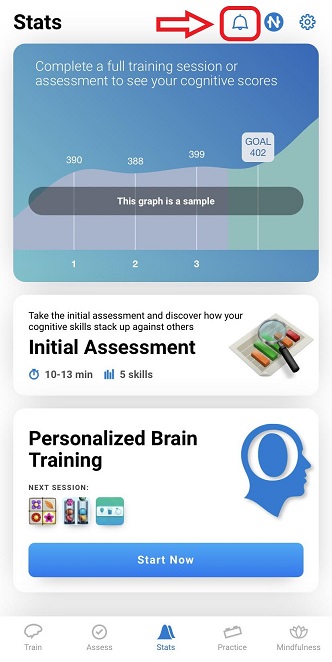
You can check the list of CogniFit notifications at any time by accessing your account in the mobile application and pressing the bell icon at the top right of the screen.
If you have any questions about our promo codes, how they can be applied, and what they are valid for, please contact us at support@cognifit.com.