 by
by By Subscribing to CogniFit, you can monitor your cognitive progress.
1. If you are using a computer
1.1 Log in to your CogniFit account and click on your name in the upper right corner of the screen.

1.2 Your profile page will open. Scroll down the profile page until you see the section for Cognitive Evolution
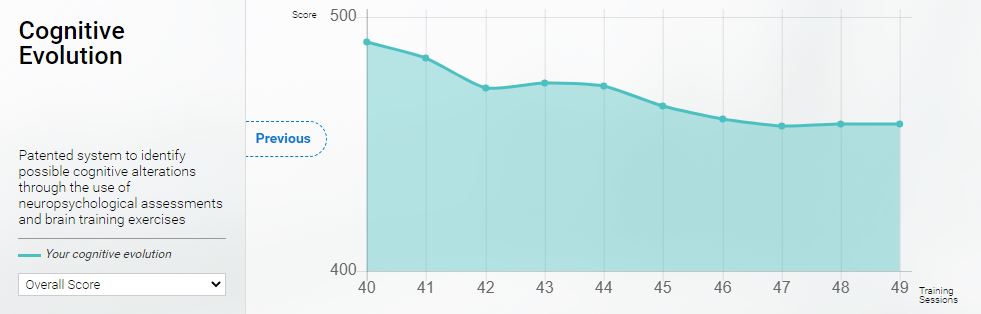
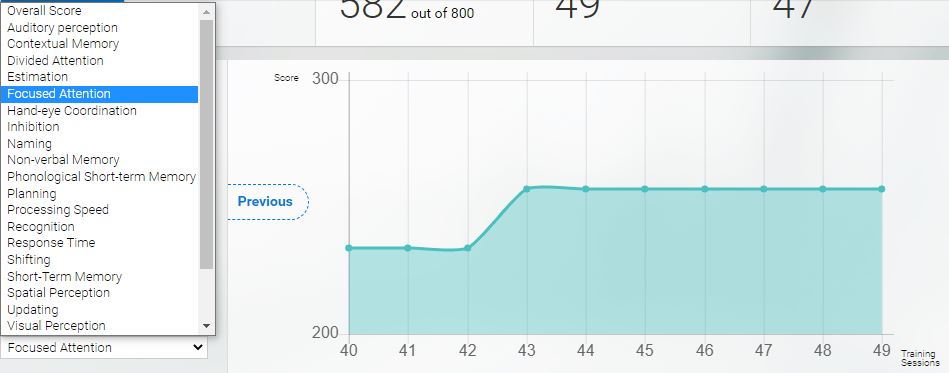
1.3 You can view progress from individual skills by selecting the specific skill from the drop-down menu. Click on the drop-down menu and choose the skill that you want to see.
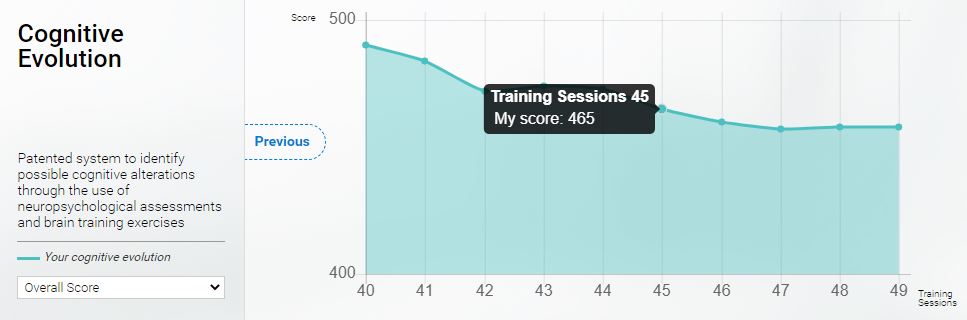
1.4 Hover over the dots to see the exact cognitive score for a training session.
2. If you are using the mobile app
2.1 Open the CogniFit app and sign in to your account and tap on the icon labeled Stats.
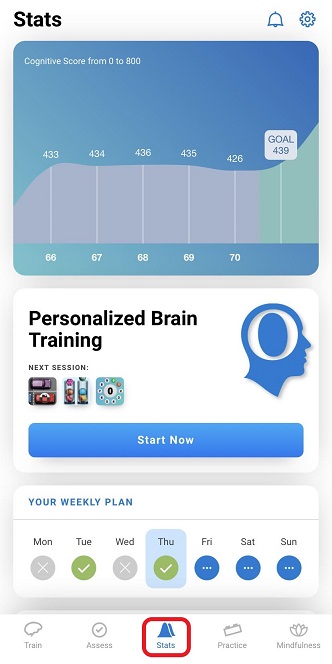
At the top of the screen you will see a graph that shows your overall progress.
If you have any questions, you can contact our support team by sending an email to support@cognifit.com